README
PropEdge AI - Ultra-MVP · Tech stack, quick start, and deployment guide
Tech Stack
Framework: Next.js 16 (App Router)
Runtime: React 19
Language: TypeScript 5
Styling: Tailwind CSS v4
Auth & Database: Supabase
Payments: Stripe
AI: OpenAI-compatible API
Deploy: Vercel
Quick Start
npm install
cp .env.example .env.local
# Fill in Supabase, Stripe, AI keys
npm run dev
Then open http://localhost:3000
Packages
Core: next, react, react-dom, typescript
Forms: react-hook-form, @hookform/resolvers, zod
UI: @radix-ui/*, cva, clsx, tailwind-merge, lucide-react, flowbite-react, framer-motion, sonner
Supabase: @supabase/supabase-js, @supabase/ssr
Stripe: stripe
Other: zustand, recharts, react-modal-hook
Database Schema
See docs/README.md for full schema and migrations.
| Table | Columns | RLS |
|---|---|---|
| profiles | id, email, first_name, last_name, birthday, is_premium, ai_insights_used_today, ai_insights_date, created_at, updated_at | SELECT, INSERT, UPDATE own |
| user_models | id, user_id, name, description, factors (JSONB), performance_score, is_active, created_at, updated_at | ALL own |
| stripe_customers | user_id, stripe_customer_id | SELECT own |
| invoices | Synced from Stripe via webhook (invoice.paid) | SELECT own |
Migrations: 001_initial_schema.sql → 002_profiles_name_birthday.sql → 003–006
Supabase & Stripe
Supabase
| Topic | Description |
|---|---|
| Project overview | PropEdge uses Supabase for auth and PostgreSQL. See the video showcase below. |
| Authentication setup | Email/password signup and login. Email URL verification and OTP for confirmation. |
| Database tables | profiles, user_models, stripe_customers, invoices. See docs/README.md for schema. |
| Table editor | Manage tables in Dashboard → Table Editor. Create and edit columns, indexes, constraints. |
| RLS policies | Row Level Security enforces per-user data access on all tables. |
| API & Edge functions | Auto-generated REST API and optional Edge Functions. PropEdge uses the JS client. |
| Stored procedures | PostgreSQL functions via RPC. Use for complex queries or server-side logic. |
| Auth users | User management in Dashboard → Authentication → Users. OTP and email verification. |
| Provider | Auth providers in Dashboard → Authentication → Providers. Configure email, OAuth, sign-in methods. |
| SQL editor | Run SQL in Dashboard → SQL Editor. Migrations and ad-hoc queries. |
| Database schema | Schema visualization. Tables, relationships, and RLS policies. |
| Realtime | Live subscriptions. Enable per-table in Database → Replication. |
| Project settings | API keys, URL, and config in Dashboard → Project Settings. |
Showcase
Supabase project — frames from video:
Supabase project overview (full video)
Stripe
Webhook & Transaction
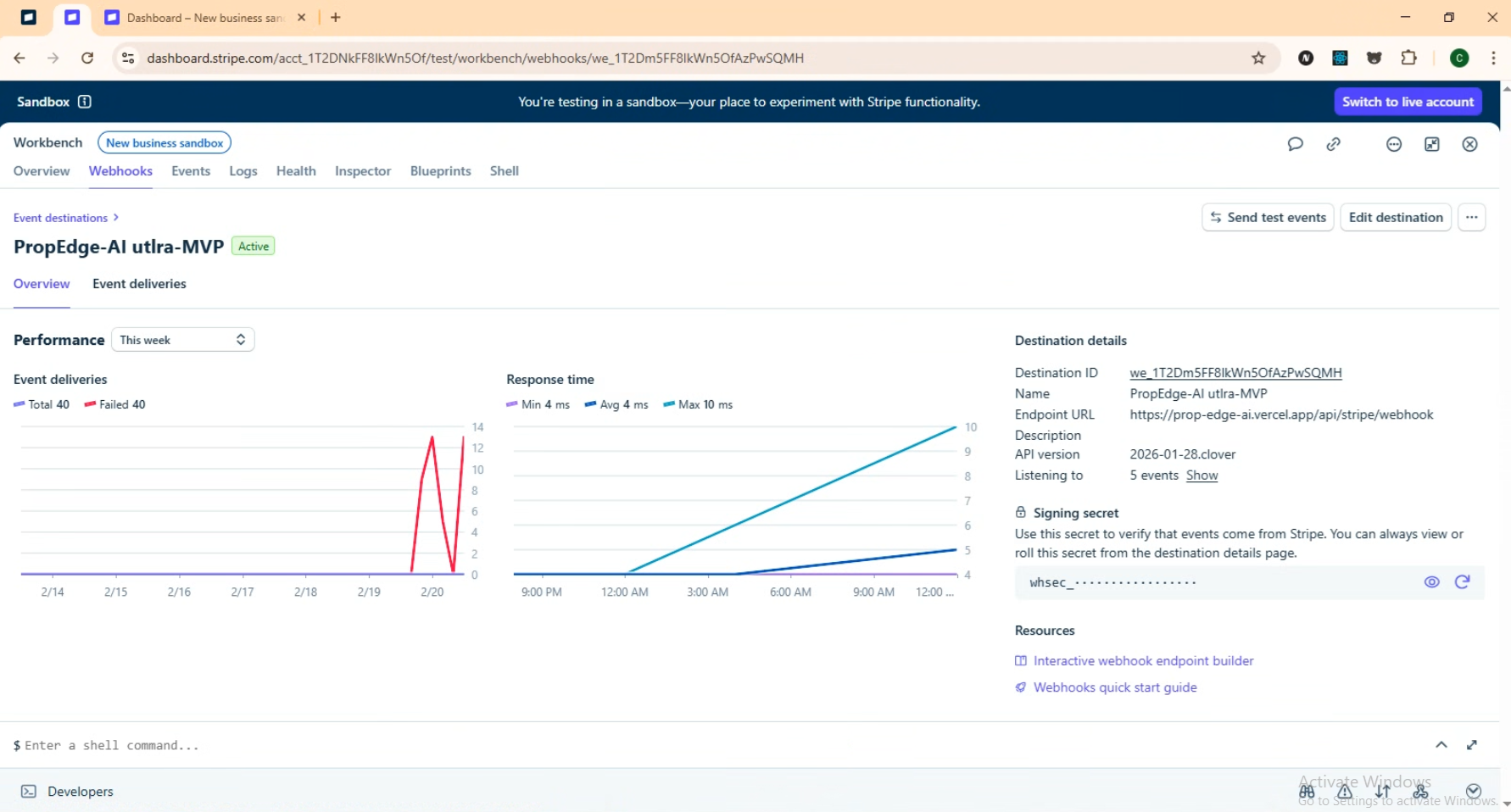
Stripe Webhooks
Webhook
- Configure in Stripe Dashboard → Developers → Webhooks
- Webhook destination — Add endpoint URL; Stripe sends events to this destination. Use Event Destinations or classic Webhooks.
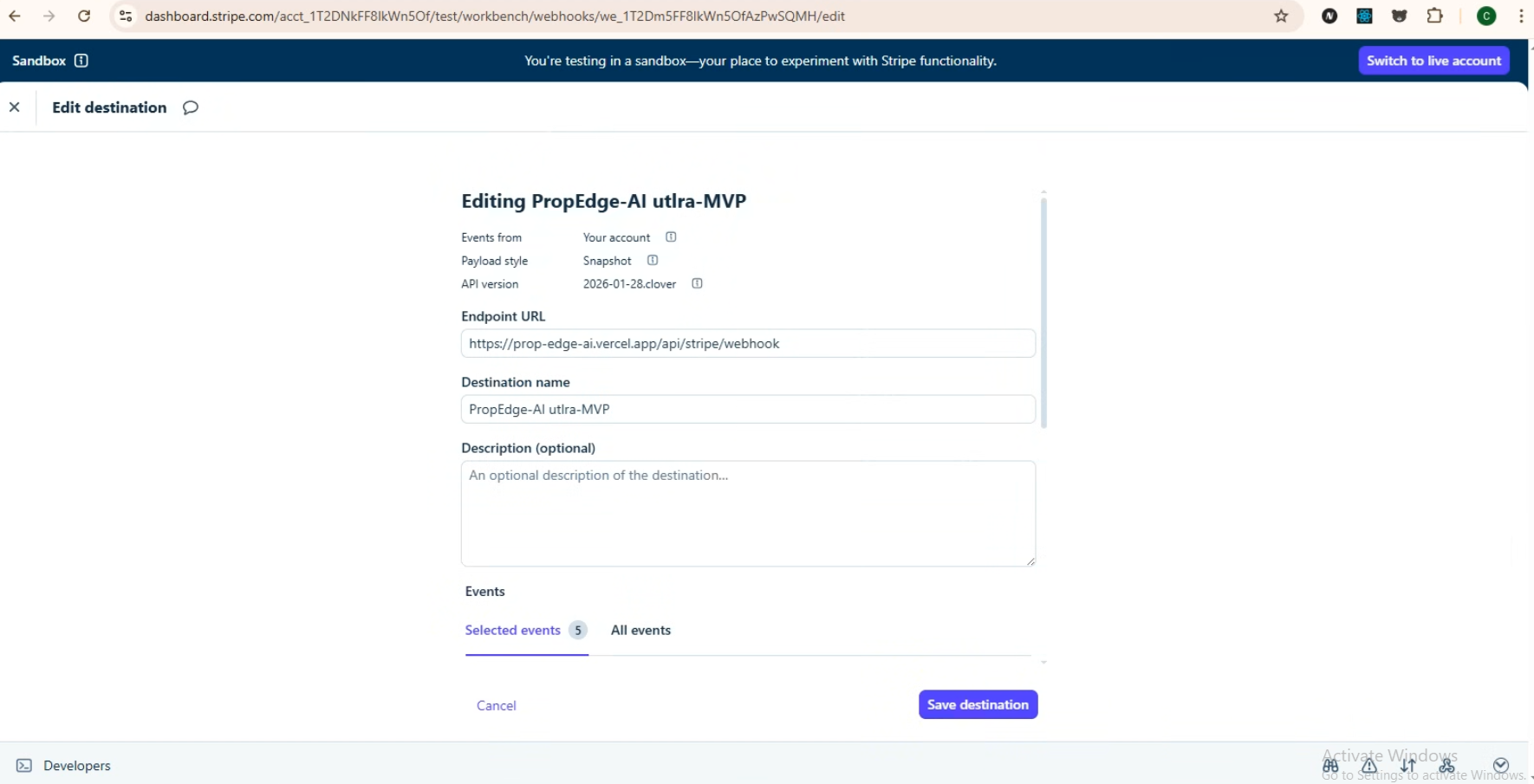
Webhook destination
- Endpoint:
/api/stripe/webhook - Subscribe to:
checkout.session.completed
customer.subscription.created
customer.subscription.updated
customer.subscription.deleted
invoice.paid
- Set
STRIPE_WEBHOOK_SECRET
Transaction
- Balance and transaction history from Stripe customer balance
- Add credit ($10+ min):
/api/stripe/charge-balance - Purchase Premium with balance:
/api/premium/purchase-with-balance
Note
Use Stripe test mode for development. Test credit card: 4242 4242 4242 4242. Use any future expiry date, any CVC, and any ZIP.
Webhook source
Transaction source
Vercel Deploy
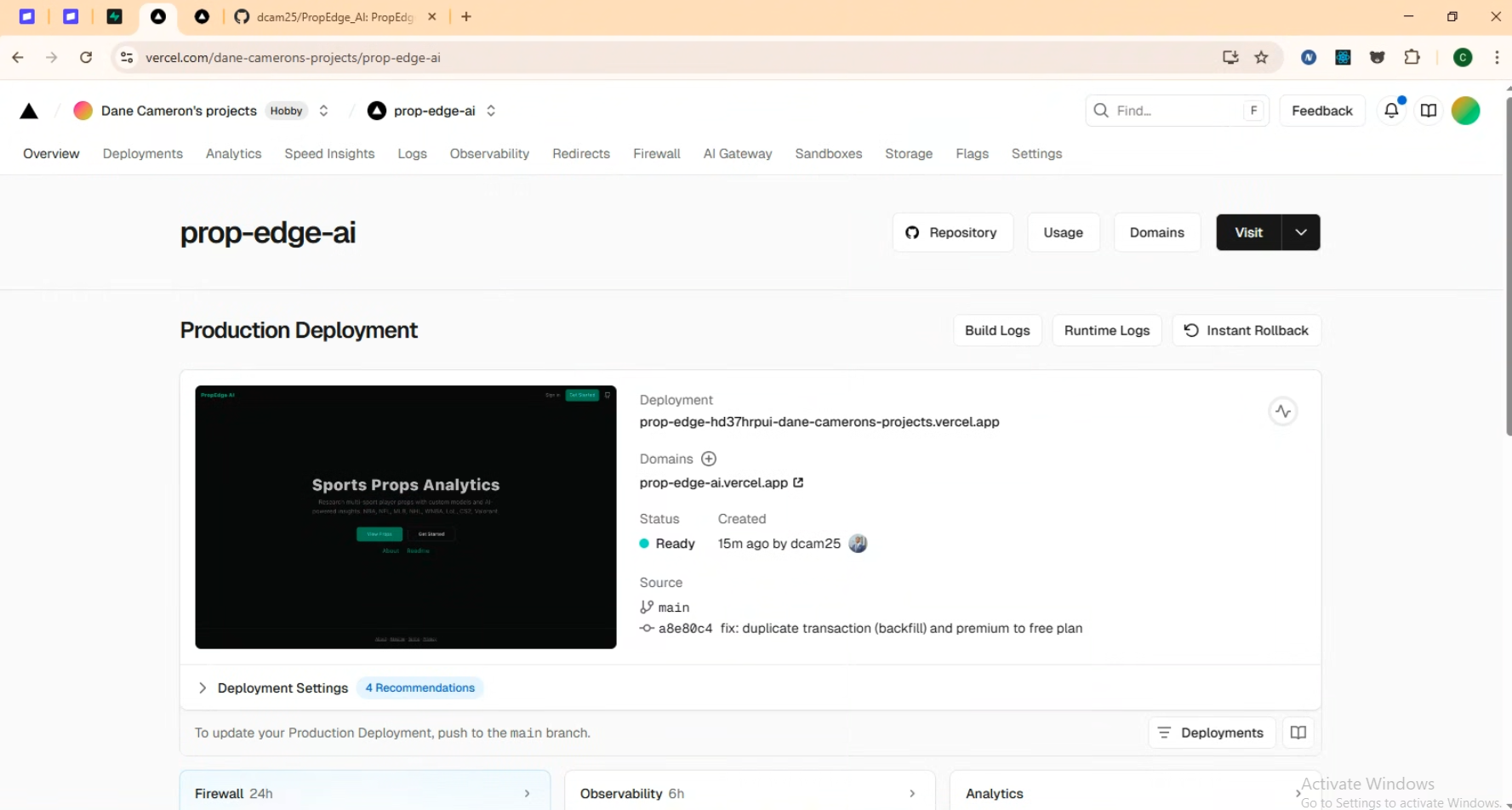
Vercel deployment
1. Connect GitHub repo to Vercel
2. Add env vars: Supabase, Stripe, AI keys
3. Set Stripe webhook to /api/stripe/webhook
4. Add /auth/callback to Supabase redirect URLs
Features
First page

Landing
Dashboard
Props table (NBA, NFL, MLB, NHL, WNBA, LoL, CS2, Valorant); prop detail modal with AI insight; pick builder
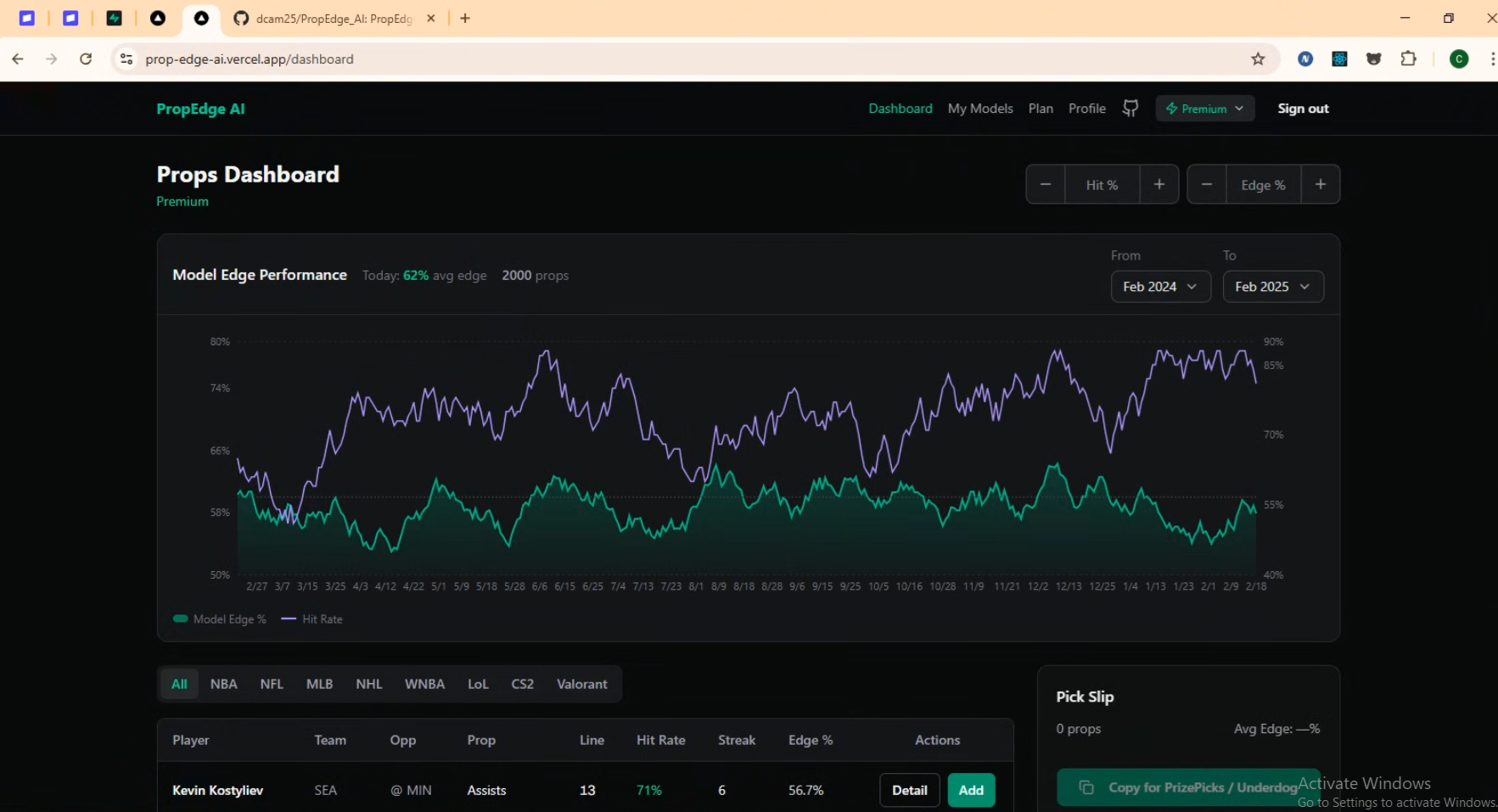
Dashboard 1
Model builder
7 weighted factors, backtesting, set active model
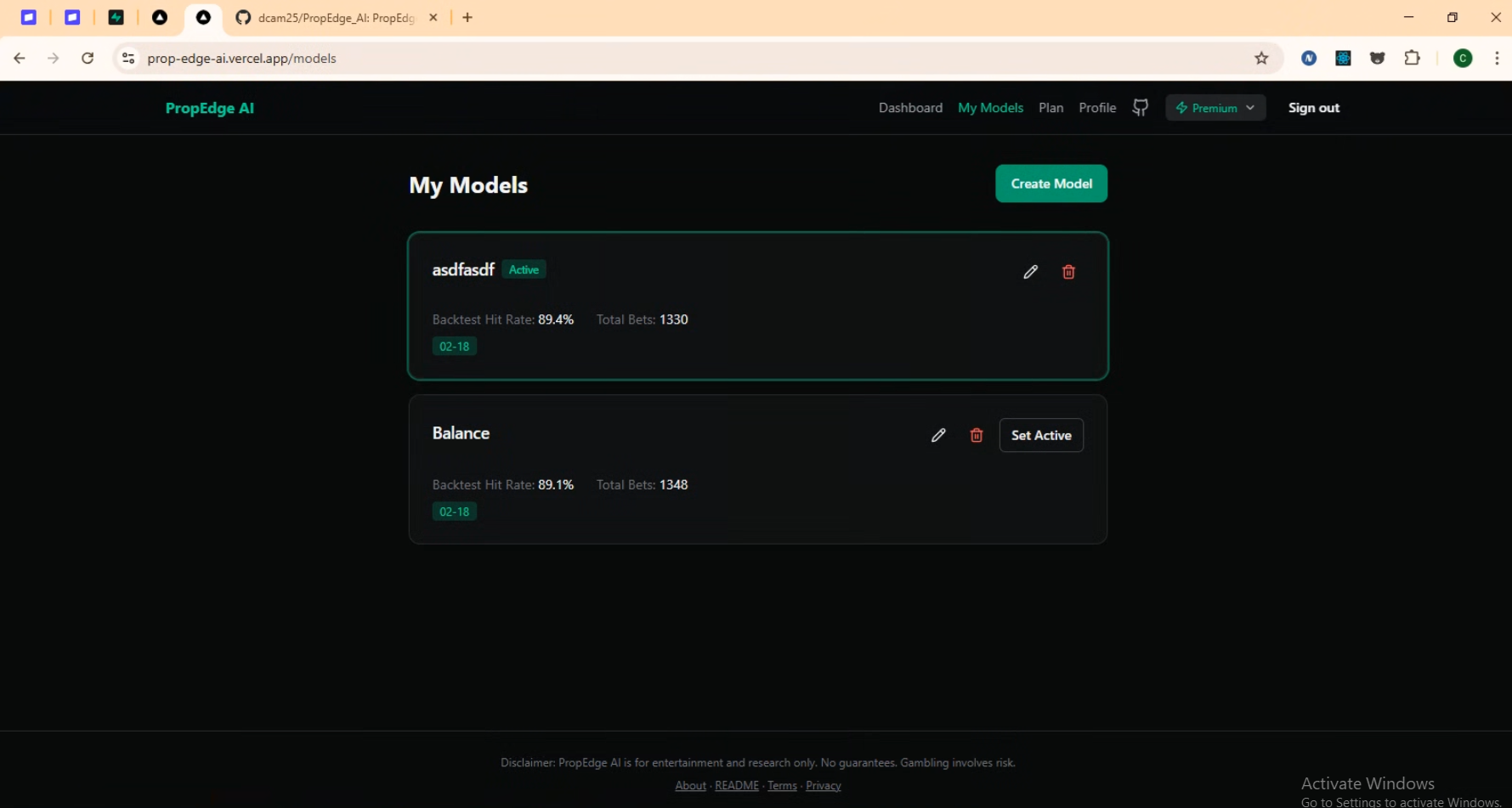
Model 1
Plan
Free (1 model, 5 AI/day) vs Premium (10 models, unlimited AI)
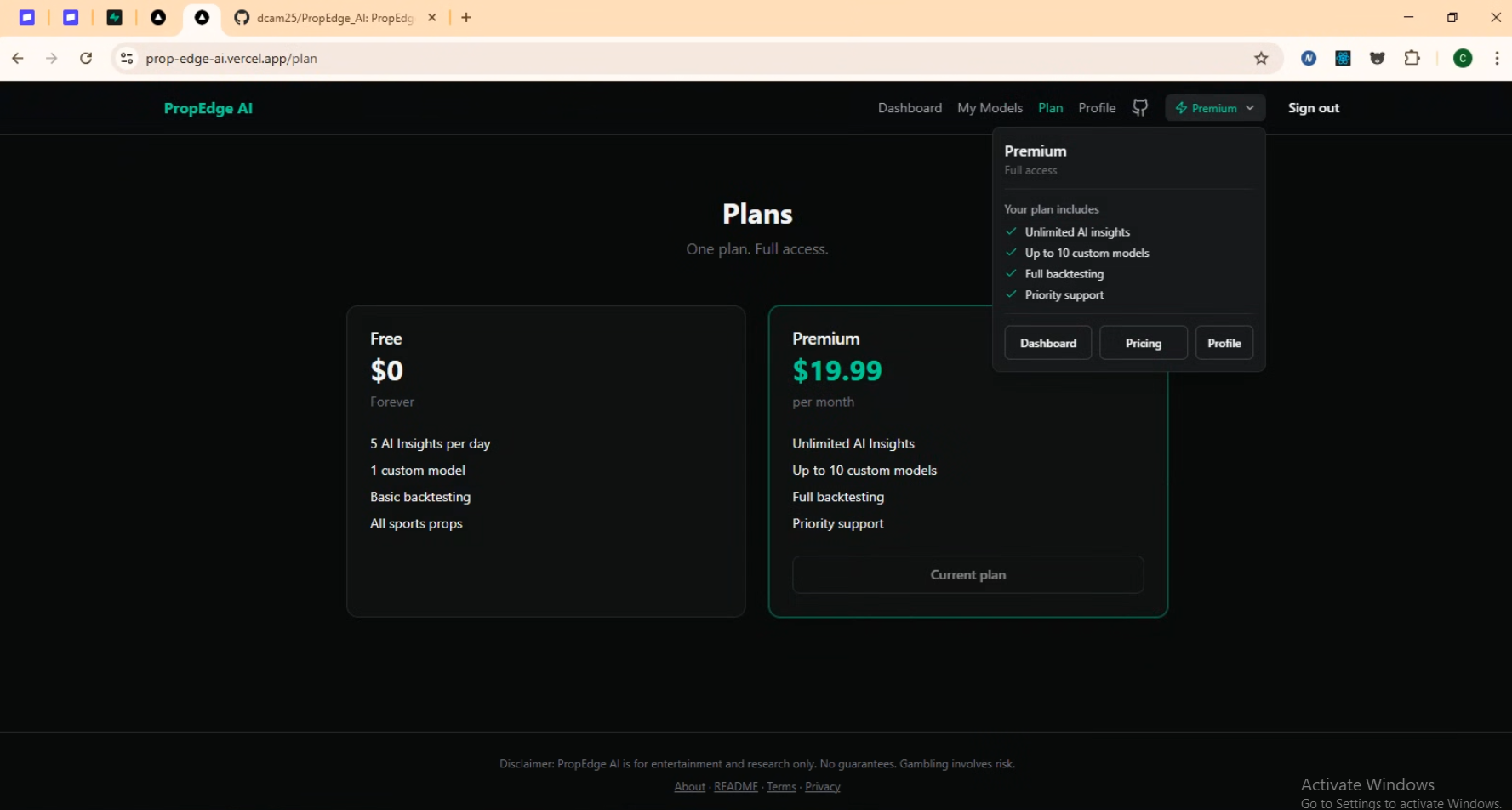
Plan
Profile
Edit name, birthday; change password; delete account
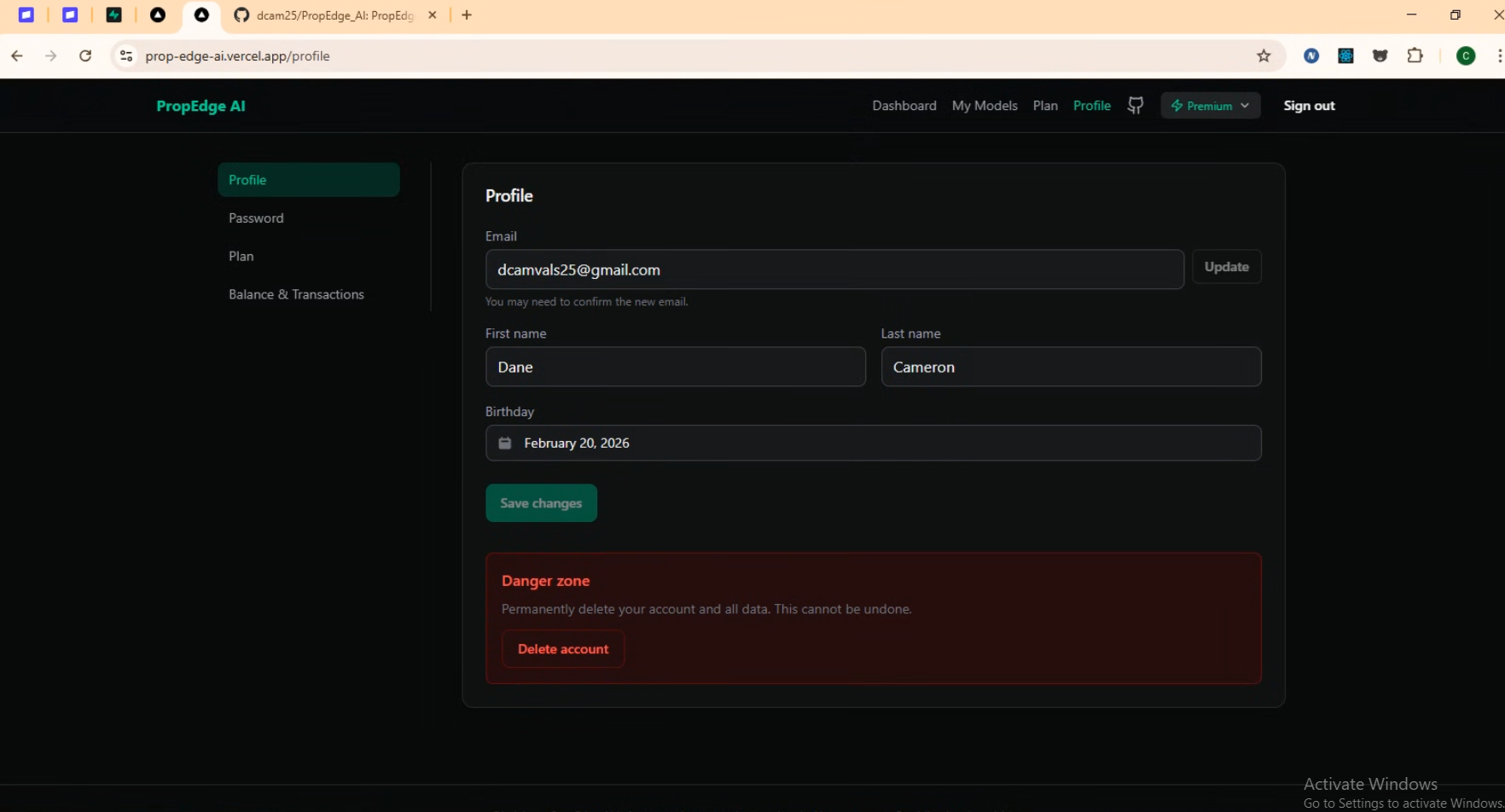
Profile
Balance & charge
Add credit ($10+ min), purchase Premium with balance
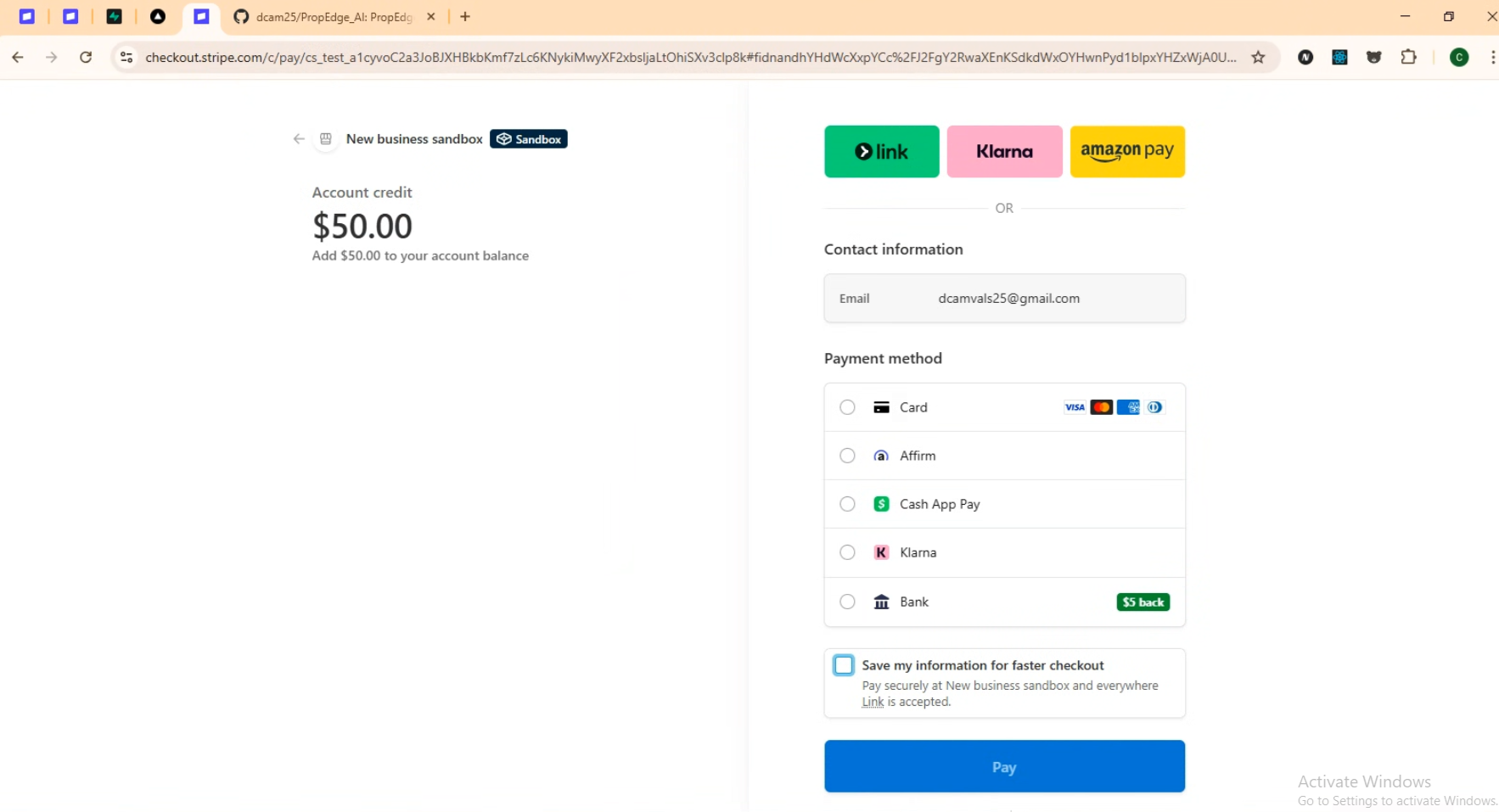
Add balance